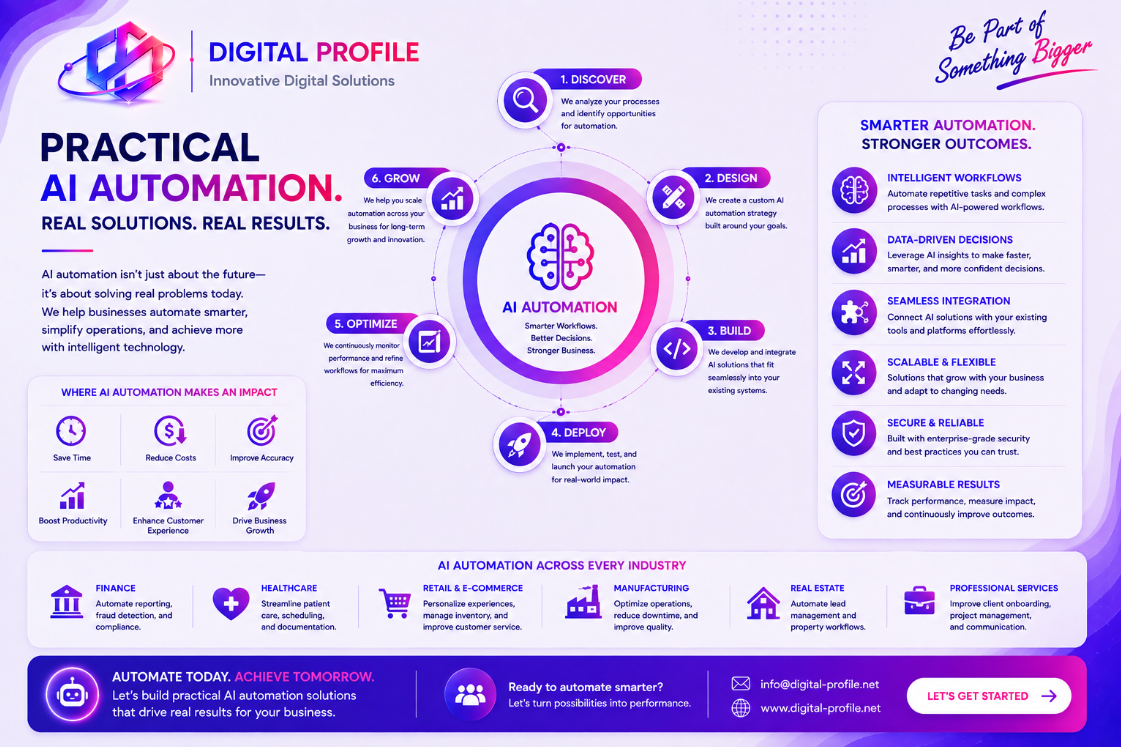
Artificial intelligence is no longer limited to research laboratories or large technology companies. Modern businesses can use practical AI automation to improve everyday operations, reduce repetitive work, and help employees focus on higher-value tasks.
The most useful AI implementations are often not complicated. They solve specific business problems, connect existing systems, and automate tasks that would otherwise require significant manual effort.
What Is Practical AI Automation?
Practical AI automation means applying artificial intelligence to real business processes where it can produce a measurable improvement.
Instead of adopting AI simply because it is a growing technology trend, businesses can identify repetitive or information-heavy tasks and determine whether AI can help complete them more efficiently.
Automating Email and Communication Workflows
Businesses receive large volumes of emails, inquiries, requests, notifications, and internal messages every day. Reviewing and organizing these manually can consume valuable employee time.
AI automation can assist by analyzing incoming messages, identifying their purpose, extracting important information, and directing them to the appropriate workflow.
- Classifying incoming emails
- Identifying customer requests
- Extracting important information
- Routing messages to the right department
- Generating suggested responses
- Creating follow-up tasks
AI-Powered Customer Support
Customer support is one of the most visible areas where businesses can apply AI automation.
AI assistants can help answer frequently asked questions, provide information, collect customer details, and guide users through common processes.
When a request requires human judgment, the workflow can transfer the conversation to a support employee with relevant information already collected.
Automating Document Processing
Documents are part of almost every business. Organizations may process invoices, applications, forms, contracts, reports, receipts, resumes, purchase orders, and other records.
AI-powered document processing can help extract relevant information and convert unstructured documents into useful business data.
- Extracting information from documents
- Classifying documents
- Identifying important fields
- Organizing digital records
- Sending documents through approval workflows
- Creating structured records
Intelligent Data Entry
Manual data entry can become a major operational burden when employees repeatedly move information between emails, spreadsheets, forms, databases, and business applications.
AI automation can help identify information, validate fields, transform data, and transfer it between connected systems.
For example, information submitted through a form could be analyzed, validated, stored in a database, and used to trigger the next step in a workflow.
Automated Reporting and Summaries
Businesses often have access to more information than employees can realistically review manually. Reports, customer records, transactions, support tickets, and operational data can quickly become difficult to analyze.
AI can assist with summarizing information, identifying notable patterns, and presenting relevant information in a more accessible format.
- Daily operational summaries
- Customer support summaries
- Sales activity summaries
- Document summaries
- Management reports
- Business activity notifications
AI for Lead and Sales Workflows
Sales teams often spend time reviewing inquiries, qualifying leads, updating records, scheduling follow-ups, and preparing customer information.
AI automation can assist with these activities by organizing incoming leads, extracting information, identifying potential priorities, and triggering follow-up workflows.
Automation can reduce administrative work while allowing sales professionals to focus more directly on customer relationships and opportunities.
Connecting AI With Existing Business Systems
AI automation becomes significantly more useful when it can interact with the systems a business already uses.
APIs and integrations can connect AI-powered workflows with websites, databases, customer management systems, internal applications, cloud services, and other business tools.
AI-Assisted Internal Operations
AI automation can also improve internal workflows. Employees can use intelligent tools to find information, summarize documents, generate routine content, organize tasks, and interact with internal knowledge.
- Internal knowledge assistants
- Automated task creation
- Meeting and document summaries
- Internal information search
- Routine content generation
- Workflow notifications
What Should Businesses Automate First?
Not every process is a good candidate for AI automation. Businesses should prioritize processes where automation can create a clear operational benefit.
A good starting point is a task that is repetitive, time-consuming, reasonably predictable, and based on information that can be accessed reliably.
- Repetitive administrative work
- High-volume customer inquiries
- Manual document processing
- Repetitive data movement
- Routine reporting
- Information classification
How to Implement AI Automation Responsibly
Successful AI automation requires more than simply connecting an AI model to a business process. Organizations should consider data quality, security, access controls, human oversight, system reliability, and ongoing maintenance.
Sensitive or important business decisions may require human review rather than completely automated processing.
Measuring the Value of AI Automation
Businesses should measure the impact of automation instead of assuming that an AI implementation is successful simply because it works technically.
Useful measurements can include time saved, processing volume, response times, error rates, employee workload, customer experience, and operational costs.
- Time saved per process
- Reduction in manual tasks
- Faster customer responses
- Reduced data-entry errors
- Increased processing capacity
- Improved employee productivity
The Practical Future of AI Automation
AI automation does not have to mean replacing existing systems or completely changing how a business operates. Some of the most valuable applications involve improving small but repetitive processes.
Businesses can begin with a single workflow, measure the results, improve the implementation, and gradually expand automation into other areas.
The most effective AI strategies focus on practical outcomes: reducing unnecessary work, improving consistency, helping employees access information, responding to customers faster, and making business operations easier to manage.
As AI technology continues to evolve, businesses that approach automation strategically can build more efficient and adaptable digital operations without losing the human expertise that makes their organizations valuable.
Ready to Explore AI Automation for Your Business?
Identify repetitive processes, connect your existing systems, and explore practical digital solutions that can help your business operate more efficiently.
Discuss Your Project